Hearing Reminder Service (HRS)
Sign up for the new Hearing Reminder Service!
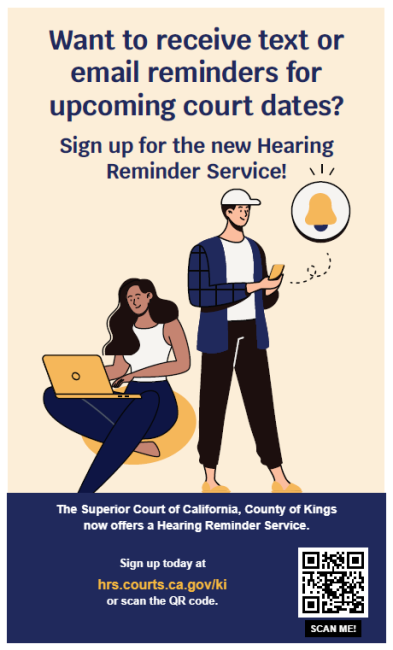
Want to receive text or email reminders for upcoming court dates?
The Superior Court of California, County of Kings now offers a Hearing Reminder Service.
Sign up today at hrs.courts.ca.gov/ki. See the instructions below.
Image
How to create an Account to Receive Text or Email Reminders of Upcoming Court Dates
-
Create a New Account
Visit https://hrs.courts.ca.gov/ki and click Go in the “Schedule a Reminder” box. On the next screen, click Create a New Account. If you need assistance creating the account, read Instructions to Create a New Account.
Image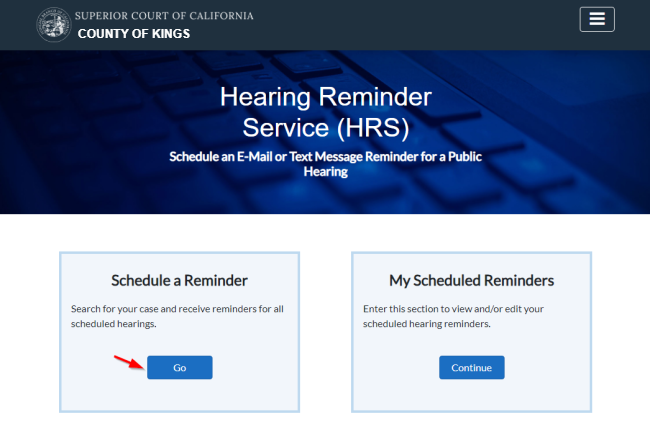 Image
Image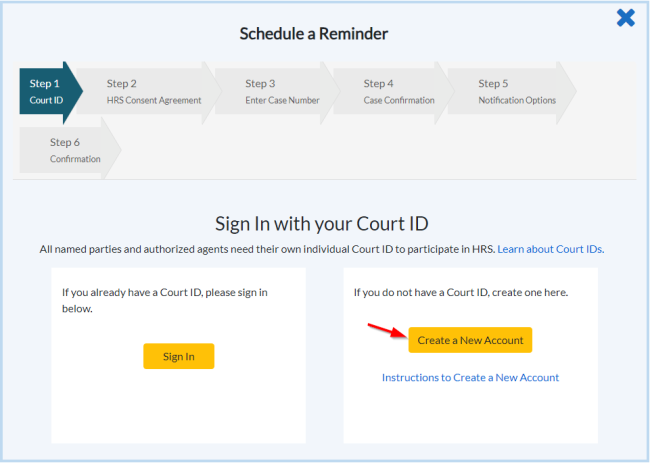
-
Accept the HRS Consent Agreement
Check the box at the bottom of the page to accept the terms.
Image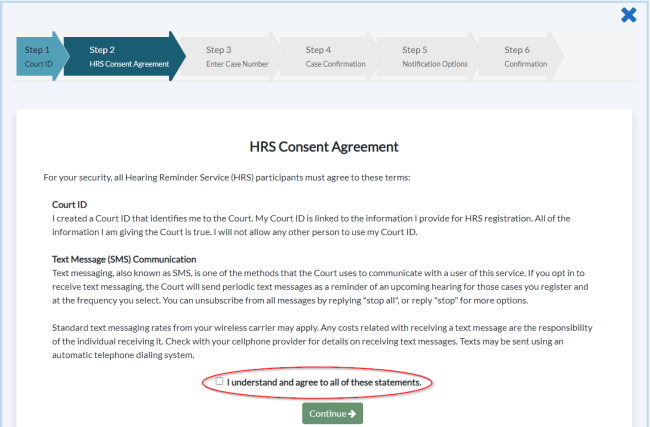
-
Enter the Case Number for Which You Wish to Receive Reminders
If you don’t have your case number, you will have to conduct a name search through the Court’s public portal.
Image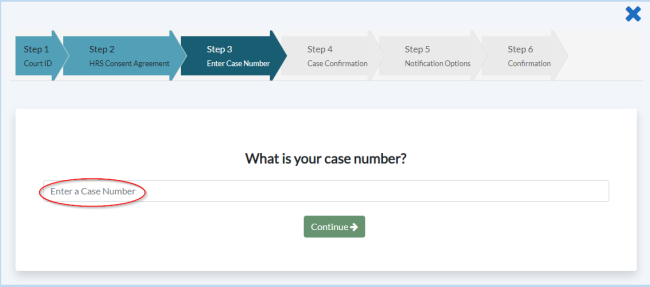
-
Confirm Your Case Number and Select Notification Preference
- Users select to receive text and/or email reminders to be sent two weeks ahead of the hearing, two days ahead, or both.
- Once the notification preference is selected and entered, a confirmation page will appear and HRS will send a text and/or email to confirm enrollment.
Image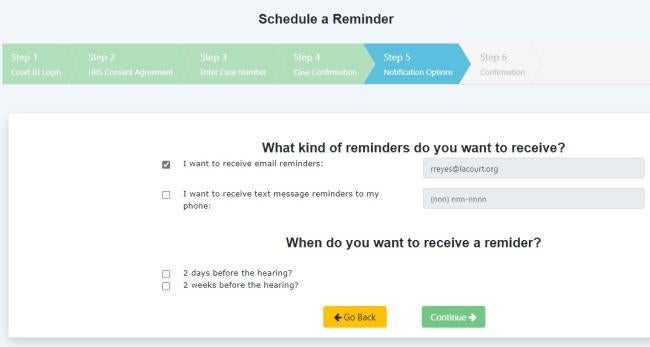
-
PLEASE NOTE: You may modify or cancel your selected reminders
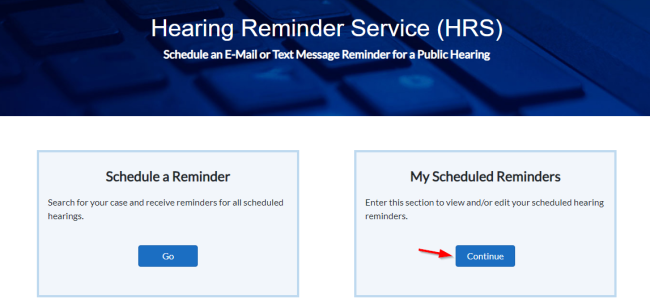
On the HRS home page, click Continue in the “My Scheduled Reminders” box to modify or cancel your reminders.
Image